
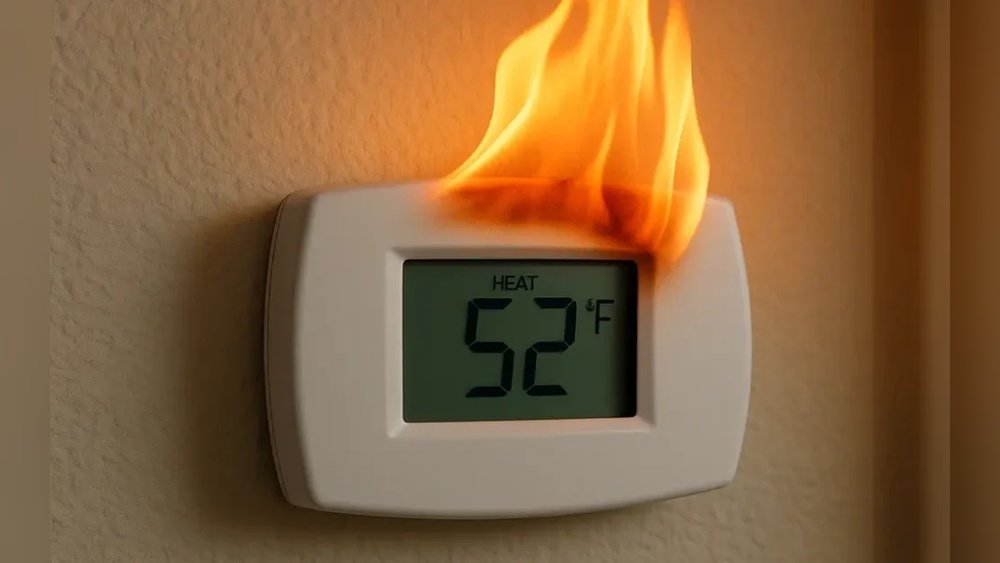
Is your thermostat acting up in Arlington, TX, leaving you uncomfortable and frustrated? You rely on your thermostat to keep your home just the right temperature, but when it stops working, everything feels off.
You might be wondering why your thermostat suddenly isn’t responding or why the heating or cooling won’t kick in. Understanding the common reasons behind thermostat problems can save you time, money, and stress. Keep reading to discover what might be causing your thermostat issues and how you can fix them quickly to get your home comfortable again.
Credit: www.lexairconditioning.com
Common Thermostat Problems
Thermostats control your home’s temperature. They keep you comfortable in Arlington TX. When a thermostat fails, it causes trouble. Common problems make it stop working correctly. Knowing these issues helps you fix them fast.
Many thermostat problems come from simple causes. Some are easy to spot. Others need a closer look. Understanding these problems saves time and money.
No Power Or Display Issues
No power is a frequent thermostat problem. The screen may be blank or dark. Dead batteries often cause this issue. Sometimes, a tripped circuit breaker stops power. Loose wiring can also cut power supply. Without power, the thermostat cannot work at all.
Incorrect Temperature Readings
Thermostats may show wrong temperatures. Dust or dirt on sensors can cause errors. Poor placement near heat sources also affects readings. Faulty sensors inside the thermostat lead to mistakes. Wrong readings cause the system to heat or cool wrongly.
Unresponsive Controls
Controls that don’t respond frustrate many users. Buttons or touchscreens might not work. This can happen from wear or damage. Software glitches may freeze the controls too. When controls fail, you cannot adjust settings easily.

Credit: m.yelp.com
Thermostat Wiring And Battery Checks
The thermostat controls your home’s heating and cooling. Problems with wiring or batteries often cause it to stop working. Checking these parts is a simple first step.
Loose wires can break the connection and stop the thermostat from working. Dead or weak batteries also cause issues, especially with wireless models. Start by inspecting wiring and testing batteries.
Inspecting Wiring Connections
Turn off power to the thermostat before inspecting wires. Open the thermostat cover carefully. Look for loose, corroded, or damaged wires.
Check if wires are firmly connected to the terminals. Loose wires can cause the thermostat to lose power. Tighten any loose screws holding the wires. Replace damaged wires if needed.
Make sure wires match the labels on the thermostat. Incorrect wiring can cause the system to malfunction. If unsure, take a photo and ask a professional for help.
Replacing Or Testing Batteries
Many thermostats use batteries to keep settings saved. Low batteries can stop the thermostat from turning on or working correctly. Replace batteries once a year or when the unit shows low power signs.
Use the correct battery type, usually AA or AAA. Remove old batteries and test them with a battery tester if available. Insert new batteries following the correct polarity (+ and -).
After replacing, reset the thermostat if needed. Check if the display turns on and settings respond. Regular battery checks prevent many common thermostat problems.
Settings And Calibration Troubles
Thermostat settings and calibration problems often cause heating and cooling issues. Incorrect settings can make your system turn on or off at wrong times. Calibration errors mean the thermostat shows the wrong temperature. Both problems can lead to discomfort and higher energy bills.
Fixing these issues is often simple. Small adjustments can improve your thermostat’s accuracy. This helps your HVAC system work properly and keeps your home comfortable.
Resetting The Thermostat
Resetting your thermostat clears previous settings and errors. It returns the device to factory defaults. This can fix software glitches causing wrong temperature readings. Locate the reset button or menu option on your thermostat. Press and hold it for a few seconds. After resetting, set your preferred temperature again. This step often resolves many common problems quickly.
Adjusting Temperature Calibration
Sometimes the thermostat shows incorrect temperature. This happens if it is not calibrated correctly. You can adjust calibration to match the room temperature. First, compare the thermostat reading with a reliable thermometer. Note the difference in degrees. Use the thermostat’s settings to add or subtract this value. This adjustment ensures your HVAC system runs at the right temperature. Proper calibration saves energy and keeps your home comfortable.
Credit: minutemanheatingandac.com
Hvac System Compatibility
HVAC system compatibility plays a key role in thermostat performance. Your thermostat must match your HVAC system for proper function. Without compatibility, the thermostat may not control your heating and cooling correctly. This mismatch can cause system errors and discomfort in your home.
Knowing how to pair your thermostat with your HVAC system helps avoid these problems. It ensures your system runs smoothly and efficiently. This section explains how to match your thermostat to your HVAC type and how compatibility affects heating and cooling units.
Matching Thermostat To Hvac Type
Thermostats are designed for specific HVAC types. Some work only with heat pumps, while others fit gas or electric furnaces. Choosing the right thermostat for your system type is essential. Using the wrong type can cause incorrect temperature readings or no response at all.
Check your HVAC system type before buying a thermostat. Look for information in your system’s manual or on the unit itself. This step ensures the thermostat you buy will work with your heating and cooling system.
Compatibility With Heating And Cooling Units
Heating and cooling units have different wiring and control needs. Your thermostat must support these specifics to manage the system correctly. Some thermostats cannot handle multiple stages of heating or cooling. Others may lack support for humidifiers or dehumidifiers connected to your system.
Verify that your thermostat supports all the features of your heating and cooling units. Compatibility issues can cause system failures or reduced comfort. Proper matching helps your HVAC system deliver the right temperature every time.
Environmental Factors Impacting Performance
Environmental factors play a big role in how well your thermostat works. Small problems around the thermostat can cause it to give wrong readings. This leads to poor heating or cooling in your home. Understanding these factors helps you spot issues faster. Fixing them can improve your thermostat’s performance and save energy.
Placement And Location Issues
Where the thermostat sits matters a lot. If it is near windows, doors, or vents, the temperature reading may be wrong. Direct sunlight can heat the thermostat and trick it into thinking the room is warmer. Placing it too close to heat sources like lamps or appliances causes false readings. Avoid putting the thermostat in hallways or rooms that are not used often. The best spot is a central wall, away from drafts and heat.
Effects Of Dust And Dirt
Dust and dirt can collect inside the thermostat over time. This buildup blocks sensors and affects their accuracy. Dirty thermostats might turn heating or cooling on and off too often. Regular cleaning of the thermostat helps keep it working well. Use a soft brush or cloth to gently remove dust. Keeping the area around the thermostat clean also helps maintain proper airflow.
Diy Quick Fixes For Arlington Homes
Thermostats can stop working for many reasons. In Arlington homes, quick fixes may solve the problem without waiting for repair services. Trying simple steps can save time and money. These DIY fixes help you check common issues fast. Follow easy instructions to get your thermostat working again.
Basic Troubleshooting Steps
First, check if the thermostat has power. Replace the batteries if needed. Look at the circuit breaker to see if it tripped. Reset the breaker if it is off. Make sure the thermostat is set to the correct mode, like heating or cooling. Adjust the temperature setting to test if it responds. Clean the thermostat gently to remove dust. Dust can block sensors and cause errors. Also, check the wiring for loose or disconnected wires. Tighten any loose connections carefully. Restart the thermostat by turning it off and on again. This can reset the system and fix minor glitches.
When To Call A Professional
Call a technician if the thermostat still does not work. Complex wiring or internal damage needs expert attention. Problems with the HVAC system may cause thermostat issues. A pro can test the system and find hidden faults. Avoid trying repairs that require special tools. Safety is important when handling electrical parts. Schedule service if your thermostat shows error codes. Professionals can offer long-lasting solutions. Don’t wait too long to get help. Ignoring problems may cause bigger damage and higher costs.
Preventive Maintenance Tips
Preventive maintenance helps keep your thermostat working well in Arlington, TX. Small steps can stop big problems. Taking care of your thermostat saves money and hassle. It also makes your home comfortable all year round.
Regular Cleaning And Inspection
Dust and dirt can block your thermostat sensors. Clean the device gently every few months. Use a soft cloth to wipe the surface. Check for loose wires or parts that look damaged. Fix small issues before they grow.
Look at the batteries too. Replace them once a year or if the display dims. Regular checks keep your thermostat accurate and responsive. It also helps your heating and cooling system run smoothly.
Upgrading To Smart Thermostats
Smart thermostats learn your schedule and adjust temperatures automatically. They save energy and lower bills. Many models connect to your phone for easy control. You can check and change settings from anywhere.
These devices often detect problems early. They send alerts if something is wrong. Upgrading improves comfort and gives peace of mind. It is a smart move for homes in Arlington’s changing climate.
Frequently Asked Questions
Why Is My Thermostat Not Turning On In Arlington Tx?
Your thermostat may not turn on due to power issues, dead batteries, or a tripped circuit breaker. Check the power source and replace batteries if needed. If the problem persists, a professional HVAC technician can diagnose electrical faults or wiring problems.
How Can I Fix A Thermostat That Won’t Respond?
A non-responsive thermostat often results from loose wiring, software glitches, or outdated models. Try resetting the thermostat or replacing batteries. If these steps fail, contact an Arlington HVAC expert to inspect and repair internal components or upgrade your system.
What Causes Inaccurate Temperature Readings On My Thermostat?
Inaccurate readings can stem from sensor malfunction, poor placement near heat sources, or dirty components. Avoid placing the thermostat in direct sunlight or near appliances. Regular cleaning and calibration by a professional can ensure precise temperature control.
When Should I Replace My Malfunctioning Thermostat?
Consider replacing your thermostat if it frequently malfunctions, lacks smart features, or is outdated. Newer models improve energy efficiency and comfort. Consult an Arlington HVAC technician to recommend the best replacement options tailored to your home’s needs.
Conclusion
A thermostat that won’t work can cause big problems at home. Check the batteries and power first. Clean the thermostat gently to remove dust. Make sure the settings match your needs. Sometimes, wiring or sensor issues need a professional’s help.
Acting quickly saves money and stress. Keep your home comfortable all year long. Don’t wait if your thermostat acts strange. Fix it soon to avoid bigger troubles. Simple steps can bring warmth back fast.